
01
Table layouts
Save compact layouts and place recognized tables into the right grid with one explicit action.

HUMAN-CONTROLLED POKER OPERATIONS
Arrange every table, trigger deliberate actions from your controller or keyboard, and keep room-specific controls ready without surrendering a single decision.
Windows 10 and 11 · One active computer · Cancel anytime
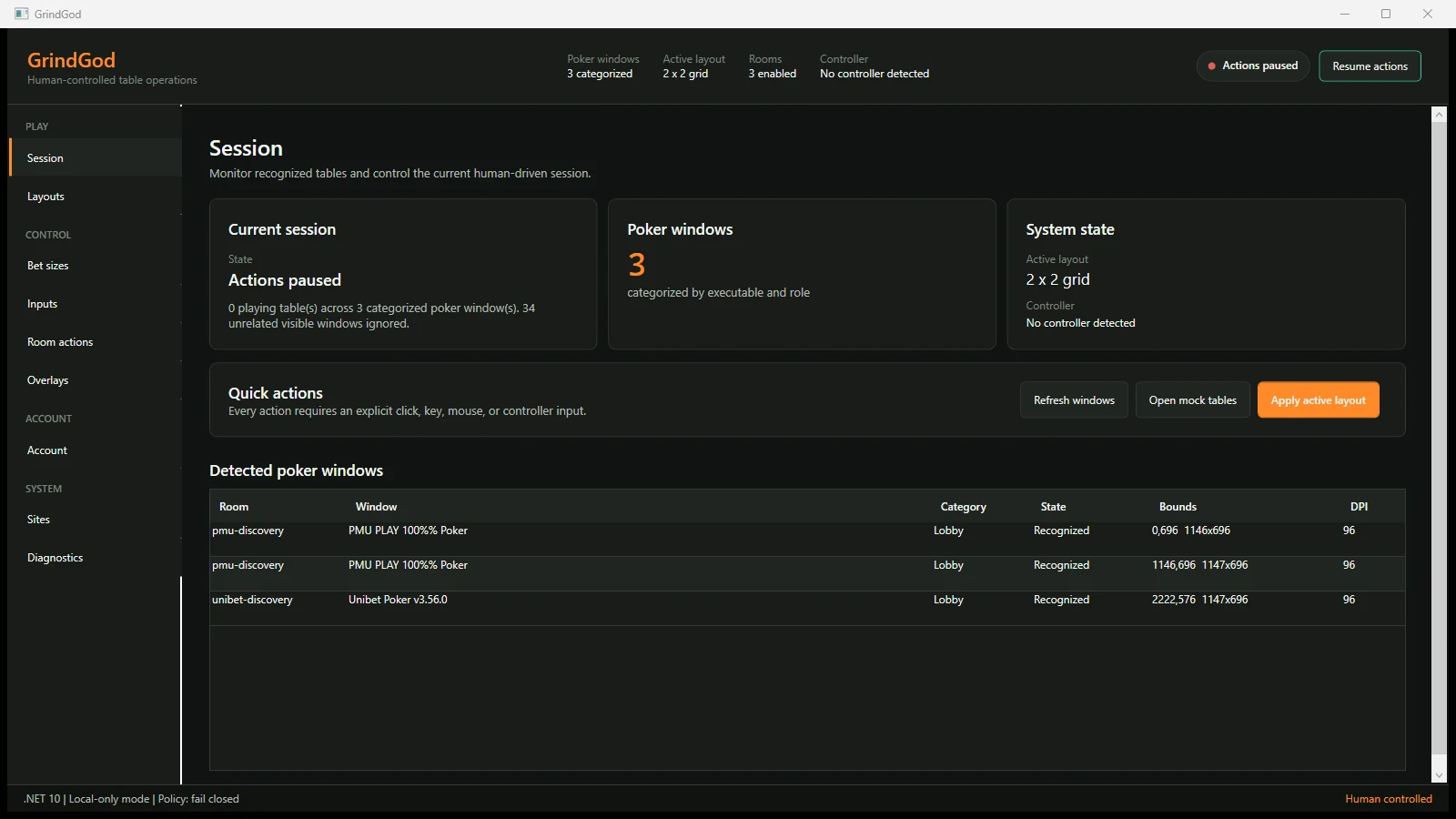
THE GRINDGOD INTERFACE
Real application interface. No staged poker decisions and no autonomous play.
TOOLS FOR THE GRIND
01
Save compact layouts and place recognized tables into the right grid with one explicit action.
02
Map intentional button presses and shortcuts to the currently actionable table.
03
Keep your preferred bet sizes close without handing decision-making to automation.
04
Show restrained, room-aware controls where they help and keep the table readable.
05
Store calibrated zones and recognition settings for each supported poker room.
06
Secure one active computer at a time, with a clear transfer and disconnect flow.
ACCESS TO THE HALL